Pro-IQ Predict
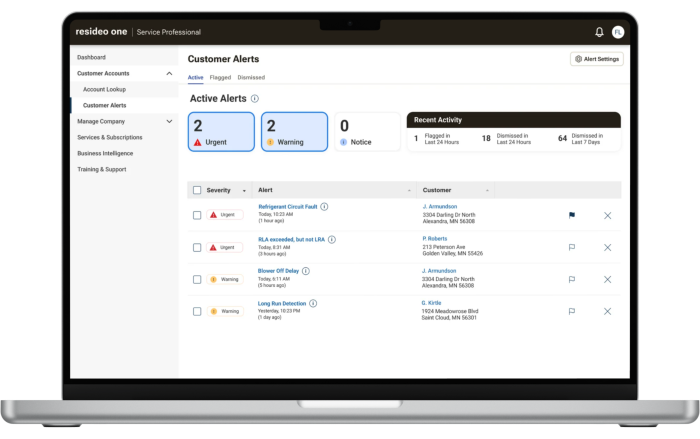
Pro-IQ Predict provides real-time predictive HVAC monitoring and component-level insights to help professionals monitor system performance and identify potential service needs.
Pro-IQ Predict is available for supported single-zone applications when an ElitePRO thermostat is used with an EIM4010 and the required CT clamps. An ERM4010 may also be used to monitor the outdoor unit.
Requirements
-
Paid Pro-IQ Predict enrollment is required.
-
An ElitePRO S1000, S1100, or S1200 thermostat is required.
ElitePRO thermostats require firmware version 1.3607.310 or later to support Pro-IQ Predict. See FAQ's for details.
-
An EIM4010 and CT clamps are required.
-
An ERM4010 is optional.
-
Pro-IQ Predict is set up using the Resideo Technician app.
-
Record the model numbers of the heating and cooling equipment before beginning setup.
Supported applications
Pro-IQ Predict can be used with supported single-zone applications, including:
-
Gas forced-air furnaces (with or without Air-conditioning)
-
Air-conditioning (cool only)
-
Heat pump without auxiliary heat
-
Heat pumps with electric backup heat
-
Heat pumps with a gas furnace as backup heat
Pro-IQ Predict does not support radiant heating applications.
CT Clamps for Pro-IQ Predict
Pro-IQ Predict uses CT clamps to monitor the electrical operation of HVAC system components. The number and rating of CT clamps required depend on the equipment being monitored.
-
Each furnace or air handler typically requires three 20 A CT clamps.
-
Each air conditioner or heat pump typically requires one 50 A CT clamp.
-
A 75 A CT clamp is required only when the system includes electric strip heat.
20 A CT Clamp
CT020C210/B (20 A CT Clamp. 10-pack)
Includes pre-attached wires.
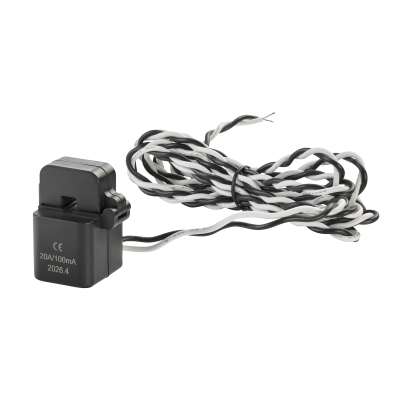
The 20 A CT clamp includes two pre-attached wires for connection to the EIM4010.
50 A / 75 A CT Clamp
CT050T010/B (50 A CT Clamp. 10-pack)
CT075T010/B (75 A CT Clamp. 10-pack)
Connect using 18 AWG wire.
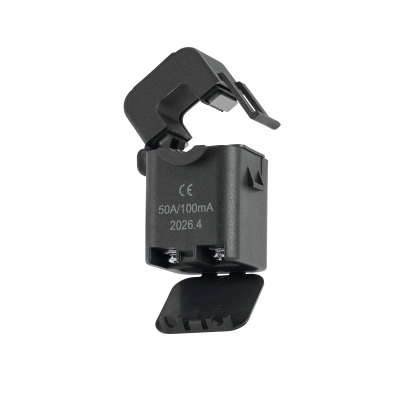
The 50 A and 75 A CT clamps use screw terminals. Connect the CT clamp to the EIM4010 or ERM4010 using 18 AWG wire.
Installing CT Clamps
CT CLAMPS ARE INSTALLED AROUND LINE-VOLTAGE CONDUCTORS. IMPROPER INSTALLATION COULD RESULT IN ELECTRICAL SHOCK, PROPERTY DAMAGE, INJURY, OR DEATH. TURN OFF POWER TO THE HVAC EQUIPMENT BEFORE INSTALLING CT CLAMPS. TURN OFF POWER TO THE HVAC EQUIPMENT BEFORE INSTALLING OR SERVICING CT CLAMPS.
-
Turn off power to the HVAC equipment before installing the CT clamps.
-
Install the required CT clamps for the equipment being monitored.
-
Position each CT clamp around the applicable conductor as shown in the wiring diagrams. Ensure the clamp is fully closed and secured around the conductor.
-
Connect the CT clamps to the applicable CT terminals on the EIM4010 or ERM4010.
-
Configure the CT clamp ratings using ISUs 17010, 17020, 17030, 17040, and 17060, as applicable.
EIM4010 CT Clamp Connections - Furnace or Air Handler

|
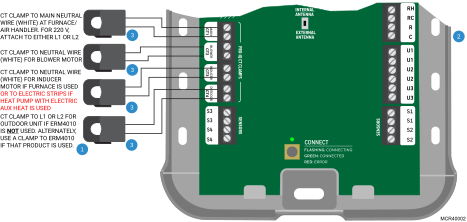
If an ERM4010 is used with the outdoor unit, CT4 cannot be connected to the EIM4010. Instead, connect the outdoor unit CT clamp to the ERM4010. The wire run to the outdoor unit CT clamp must not exceed 80 ft (24 m). Use 18–22 AWG wire with 50 A or 75 A CT clamps. |

|
See the EIM Wiring Diagrams for connections to the heating and cooling equipment. |

|
Each furnace or air handler typically requires three 20 A CT clamps (CT020C210). Each air conditioner or heat pump typically requires one 50 A CT clamp (CT050T010). A 75 A CT clamp is required only if the system includes electric strip heat (CT075T010). |
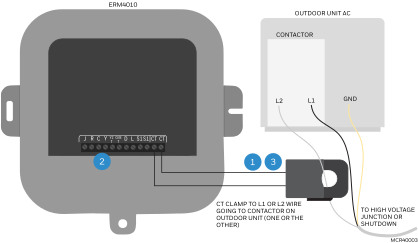
ERM4010 CT Clamp Connection - Outdoor Unit
|
|
A CT clamp can be used with the ERM4010 only when the ERM4010 is controlling an outdoor unit and the paired ElitePRO thermostat is also using an EIM4010. |
|
|
See Installing Equipment Remote Module (if used) for connections to an air conditioner or heat pump outdoor unit. |
|
|
The outdoor unit typically requires one 50 A CT clamp (CT050T010). |
Setting Up Pro-IQ Predict
After the thermostat, EIM4010, and CT clamps are installed, complete Pro-IQ Predict setup as follows:
-
Turn on power and connect the equipment.
Follow the onscreen instructions on the thermostat to connect to the EIM4010 and ERM4010 (if used).

-
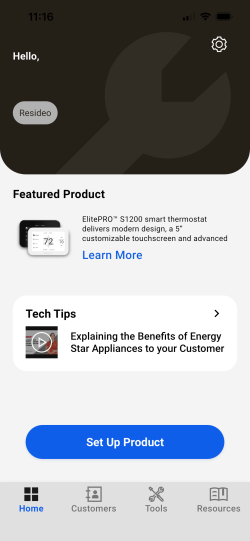
Continue setup using the Resideo Technician app.
When prompted on the thermostat display to continue setup using the app, open the Resideo Technician app and follow the onscreen instructions to enroll the system.
-
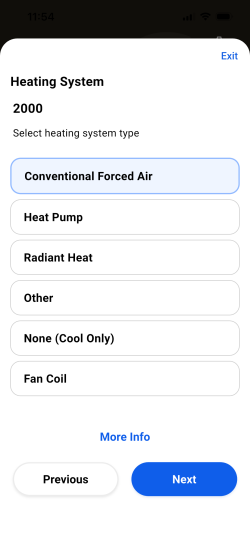
Enter the equipment information.
Follow the onscreen instructions to enter the heating and cooling equipment information required for Pro-IQ Predict.
-
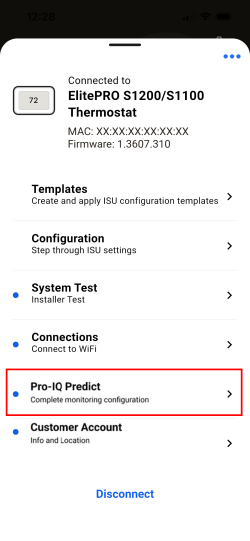
Complete Pro-IQ Predict setup.
Follow the onscreen instructions to configure Pro-IQ Predict monitoring and complete enrollment.
-
View system insights.
After enrollment is complete, Pro-IQ Predict system information and insights can be viewed in the Resideo One portal.