Resideo Pro App
The Resideo Pro app allows the installer to:
-
Add multiple customer’s information and link the thermostats to each customer.
-
Get alerts through the pro app if a thermostat has an alert message.
-
Get maintenance reminders messages through the app when the thermostat is displaying a reminder.
Steps
-
After doing the thermostat setup (linking to EIM if used, setting the system type and other ISU settings), select MENU > THERMOSTAT INFORMATION and scroll down to the QR code. Scan this code with your phone.
-
Open the Resideo Pro App. If you do not already have the Resideo Pro app, download the app and create your account.
-
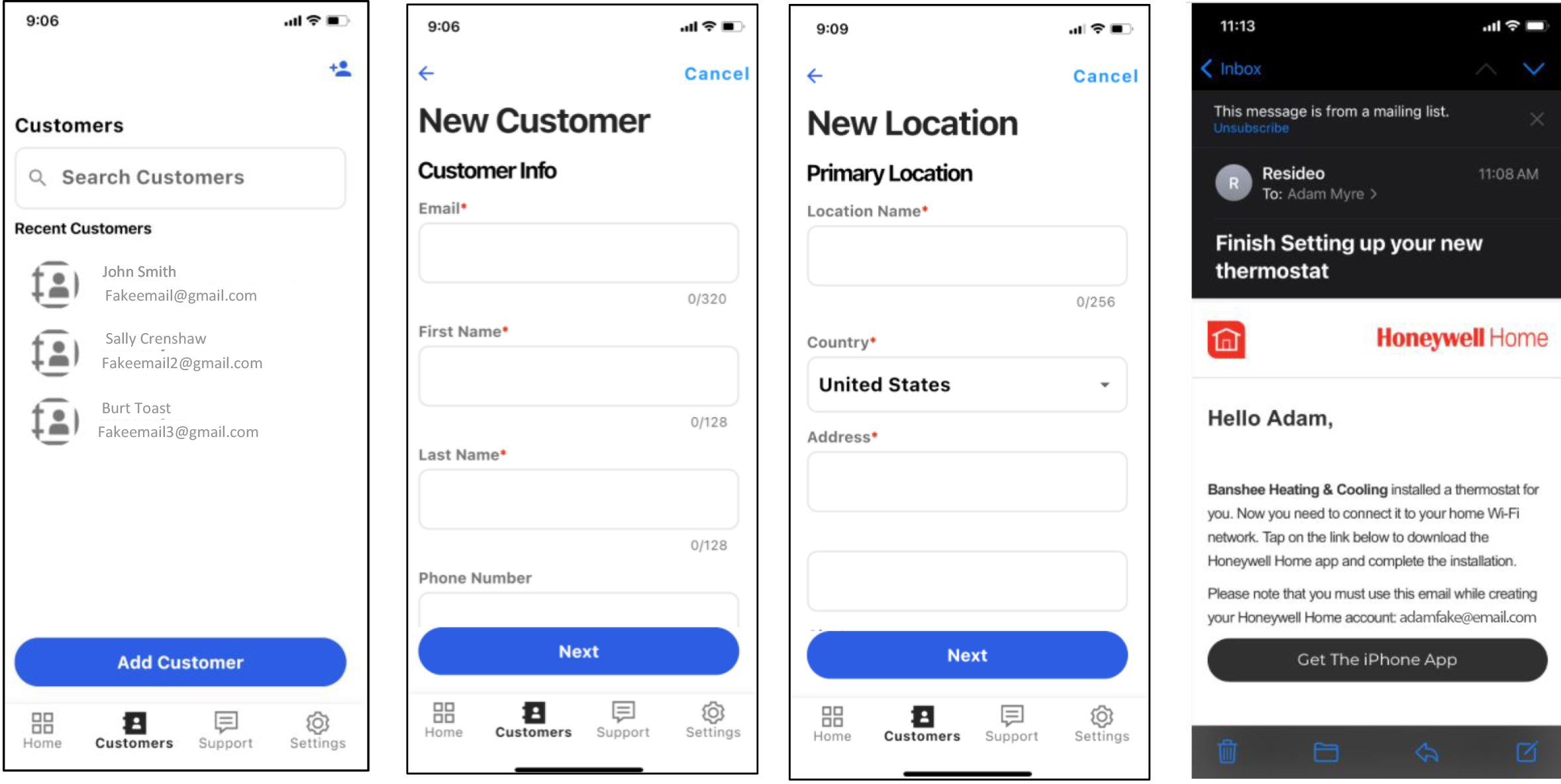
Select Customers.
If the thermostat installed is for an existing customer choose them from the list. If it is a new customer, select “add customer”.
Once you have finished adding the customer information below, the app will send an email to the customer inviting them to download the app if they don’t already have the app or to connect the thermostat to WiFi if they already have the app and the thermostat wasn’t added to WiFi by the installer.